Ever catch yourself squirming in your chair after a few hours at your desk? That discomfort is usually a sign your setup’s working against you, not with you.
Adjustable standing desks let you switch between sitting and standing, easing back pain, improving posture, and giving your brain a little boost when the day drags on. It’s a surprisingly simple change that can shake off the stiffness you get from being glued to your chair for hours.
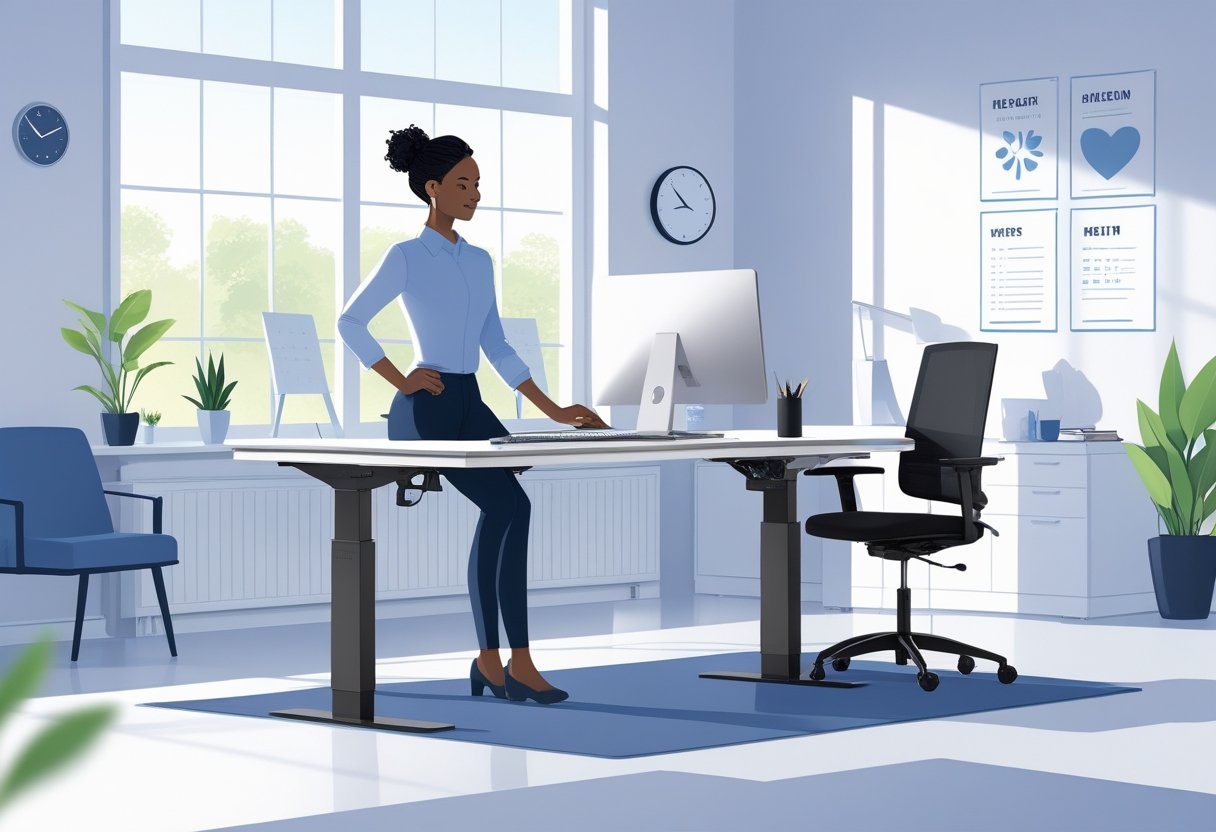
Getting your monitor height and desk position right is huge for avoiding neck and shoulder tension. When you can adjust your desk, it’s way easier to get your screen at eye level and keep your wrists in a comfy, neutral spot.
This helps with circulation, too, and cuts down on the aches that sneak up after months of bad habits.
Key Takeaways
- Switching between sitting and standing during the day can seriously help your back and posture.
- Dialing in your desk and monitor height is key for avoiding neck strain and keeping your body in a neutral position.
- Keeping your workspace tidy and picking the right chair or stool rounds out a good ergonomic setup.
Why Adjustable Standing Desks Are Essential for Ergonomic Setups
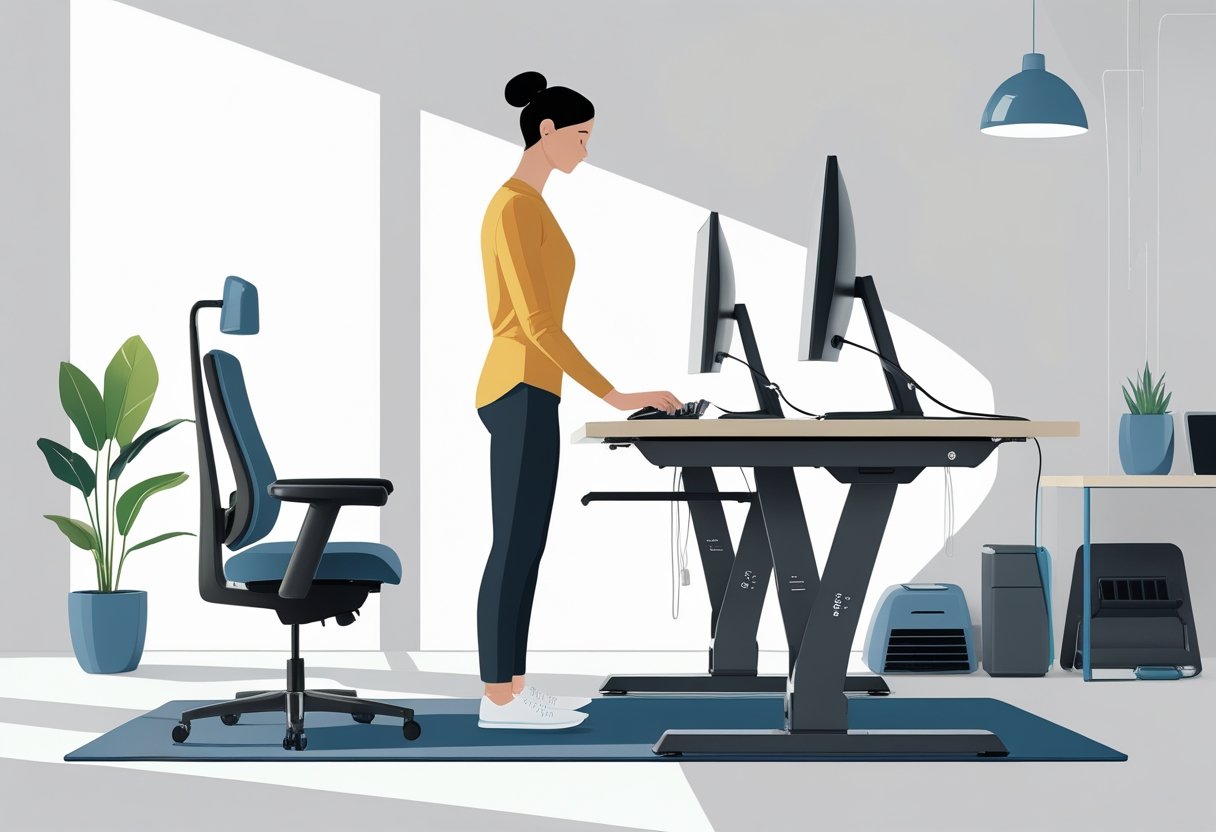
Adjustable standing desks make it easy to switch things up—sit, stand, repeat. This flexibility is a game-changer for fighting off the usual aches that come from sitting all day.
It’s not just about comfort. Proper posture and less physical strain mean you’ll probably feel more awake and focused, too.
Health Benefits of Alternating Between Sitting and Standing
If you stand up here and there, your legs get better blood flow—no more that weird tingling after hours in your chair. This can actually help with things like heart health and even lower the risk of Type 2 diabetes.
Standing takes pressure off your lower back and lets your spine breathe a little. Being able to change desk height means you can always find that sweet spot where your back feels just right.
There’s even research suggesting standing more often can lift your mood and energy. People report less fatigue and more productivity with these setups.
And hey, standing wakes up your core muscles and gets more oxygen to your brain. That can only help with focus, right?
Impact on Productivity and Work Efficiency
When you’re not distracted by aches, it’s easier to get stuff done. Standing up for a bit can reset your brain, especially if your attention starts to wander.
Being able to tweak your desk height means you’re not constantly shifting around trying to get comfortable. That’s a win for focus.
Key productivity factors include:
- Staying dialed in on tough projects
- Less time wasted fidgeting or stretching out sore spots
- More energy for those marathon work sessions
- Standing meetings that don’t feel like torture
If you’re not fighting your desk all day, you’ll probably notice you get through your to-do list a little faster. A proper ergonomic setup keeps your monitor and keyboard at the right height, whether you’re sitting or standing.
Reducing the Risk of Musculoskeletal Disorders
A lot of long-term aches—think sore necks, stiff wrists—come from holding the same lousy posture for too long. Adjustable desks break up that pattern.
Sitting too much leads to hunched shoulders and a forward head, which just makes everything hurt more. Standing now and then lets your spine reset and takes pressure off your discs.
These desks are easy to dial in for your height, so your elbows, wrists, and eyes line up where they should. That means fewer weird angles and less strain on your body.
Mixing up your position keeps your muscles moving, so you’re not just stressing the same spots all day.
Choosing the Right Adjustable Standing Desk for Your Workspace

Picking between a full adjustable desk and a converter depends on your space, your wallet, and how much you want to change your setup. Features like height range, sturdiness, and size matter more than you might think.
Comparing Adjustable Standing Desks and Standing Desk Converters
A full adjustable standing desk is basically a whole new workstation. Most adjust from around 28 to 48 inches, so they work for almost anyone.
Electric models are super convenient—just push a button and you’re set.
Standing desk converters sit right on top of your current desk and lift your monitor and keyboard. They’re cheaper and don’t need much setup, but you sacrifice some workspace and stability, especially if you’re juggling two monitors.
Full desks spread the weight better and feel solid at any height. Converters are great if you’re renting or just want a temporary fix.
Heavy typers and multi-monitor folks will probably appreciate a full desk more.
Key Features to Consider Before Buying
Height range is huge. If you’re under 5’5″, look for desks that go down to about 36-38 inches. Over 6’1″? You’ll want something that goes up to 43-47 inches.
Weight capacity matters if you’ve got a big setup. Most standard desks handle up to 200 pounds, but if you’ve got a lot of gear, look for something rated higher.
Motors make a difference—dual motors are quieter and handle more weight. Presets are handy if you want to bounce between sitting and standing with one touch.
Stability at full height is a must. Crossbars and T-shaped bases help keep things steady. If you can, test it out fully extended before you buy.
Ideal Desk Size and Surface Material
You want enough space for your essentials, but not so much you’re swimming in clutter. A 48-inch desk is fine for one monitor and a few extras.
If you’re running dual monitors or spread out with paperwork, 60-72 inches is better.
Depth is underrated—30 inches gives you room to keep monitors at a good distance. Shallow desks push screens too close, which can mess with your eyes.
Surface materials matter more than you’d think. Laminate is tough and easy to clean, but can chip on the edges. Solid wood looks awesome and lasts, but needs a little TLC. Bamboo is a nice eco-friendly pick and has natural germ-fighting perks.
| Material | Durability | Maintenance | Price Range |
|---|---|---|---|
| Laminate | Moderate | Low | $ |
| Solid Wood | High | High | $$ |
| Bamboo | High | Moderate | $ |
Don’t ignore edge design. Rounded edges are way comfier for your arms than sharp corners. Some desks even have a little curve that lines up with your arms.
Optimal Desk and Monitor Height: Preventing Back and Neck Strain
Getting your desk and monitor position right is non-negotiable if you want to avoid nagging aches. The right setup keeps your body lined up and your neck happy.
Setting the Proper Desk Height
Your desk height should let your elbows rest at a 90-degree angle, with your forearms parallel to the floor. Usually, that’s about 28 to 30 inches when sitting, but everyone’s a bit different.
For standing, the desk should meet your elbows—again, keeping that 90-degree bend. Most people land between 38 and 46 inches for this.
Shoulders should feel relaxed, not bunched up or sagging. Your keyboard and mouse need to be level with your wrists—no awkward angles.
It’s worth tweaking the height over a few days. What feels good at first might not hold up after a week.
Adjusting Monitor Position and Screen Height
Monitor height is a big deal for your neck and upper back. The top of the screen should be at or just below eye level, so you’re looking straight ahead or slightly down—think a 10 to 20-degree downward tilt.
That setup keeps you from craning your neck. Monitor at eye level means your eyes naturally fall on the top third of the screen.
If you’ve got a big monitor, you might need to set it a bit lower. Keep it about an arm’s length away—20 to 30 inches is a good rule of thumb.
For dual monitors, put your main one dead center. Secondaries should angle in about 30 degrees. If you use both equally, line them up side by side.
Monitor Arms, Risers, and Placement Best Practices
Monitor arms are the MVP for flexible monitor placement. They let you tweak height, depth, and tilt whenever you want.
Good monitor arms can handle 10 to 30 pounds and usually have cable management to keep things tidy.
A monitor riser is a cheaper fix—just a platform that lifts your screen up. Some are adjustable, some are just a set height, and a few have space underneath for keyboards or random office stuff.
Tilt your screen back about 10 to 20 degrees to cut down on glare. Try to keep monitors perpendicular to windows—direct sunlight is brutal on your eyes.
Don’t be afraid to adjust things as your needs change. What works in the morning might not be ideal after lunch.
Ergonomic Posture and Movement Strategies at Standing Desks
Standing desks are awesome, but only if you use them right. It’s all about keeping good posture and moving around—don’t just stand still like a statue.
Maintaining Neutral Posture While Standing
Head over shoulders, shoulders over hips, hips over ankles—that’s your alignment checklist. Elbows at 90 degrees, forearms flat.
Don’t lock your knees. Keep a little bend to avoid cutting off circulation and getting tired.
Spread your weight across both feet. It helps with balance and keeps your hips from getting out of whack.
Wrists should stay straight, level with your keyboard. The monitor belongs at eye level, with your gaze hitting the top third of the screen.
It’s easy to let your shoulders roll forward or your lower back arch too much. Try to keep your core gently engaged and your chest open.
Feet about hip-width apart gives you a solid base.
Alternating Between Sitting and Standing
Switching between sitting and standing keeps fatigue at bay. If you stay in one position too long, your body lets you know—usually not in a good way.
Research suggests that alternating every 30 to 60 minutes can cut back pain by up to 54 percent and help you keep your energy up.
Workers should start with shorter standing intervals, maybe 15 to 20 minutes each hour. It takes a few weeks for the body to adjust to longer periods on your feet.
If you start feeling discomfort, that’s your cue to change positions. No need to tough it out.
Recommended Position Schedule:
| Time Block | Position | Duration |
|---|---|---|
| 0-30 min | Sitting | 30 minutes |
| 30-45 min | Standing | 15 minutes |
| 45-75 min | Sitting | 30 minutes |
| 75-90 min | Standing | 15 minutes |
Adjustable standing desks make the whole process a lot easier. With preset height settings, you can save your preferred sitting and standing heights and switch without fiddling with measurements every time.
Incorporating Regular Movement Breaks and Micro-Movements
Movement breaks and micro-movements keep muscles awake and blood moving. Standing still for ages is almost as rough on your body as sitting all day.
Try shifting your weight from one foot to the other every few minutes. It’s a small thing, but it wakes up different muscle groups and helps prevent stiffness.
If you’re on a call, walk in place or sneak in some calf raises. Why not?
Effective Micro-Movements:
- Weight shifting side to side
- Ankle rotations and toe raises
- Shoulder rolls and neck stretches
- Hip circles and gentle twists
- Knee bends and leg swings
Take a movement break every hour—a couple minutes to walk or stretch does wonders. Just two or three minutes away from your desk can reset your posture and clear your head.
Anti-fatigue mats add a little bounce, encouraging you to move more without even thinking about it.
There’s this 20-8-2 rule ergonomics folks talk about: for every 30 minutes, sit for 20, stand for 8, and move for 2. It helps keep your blood flowing and your posture in check, though honestly, nobody gets it perfect every day.
Organizing Desk Accessories for Comfort and Productivity
Where you put your desk gear can make or break your comfort and workflow. An organized workspace just feels better, especially when it supports both sitting and standing.
Having the right mix of supportive surfaces, input devices, and organizers can turn your desk into a place you actually want to spend time at.
Anti-Fatigue Mats and Supportive Footwear
Standing on hard floors for long stretches gets old fast. An anti-fatigue mat gives your feet and legs a break, encouraging tiny movements that boost circulation and ease the aches.
Look for a mat that’s thick enough to cushion but still firm—wobbly mats are a pain. Beveled edges help you avoid tripping, and non-slip backing keeps the mat in place.
Key features to consider:
- Thickness between 0.5 to 1 inch for support
- Surfaces that clean easily and resist stains
- Enough room to stand comfortably
Some people like balance boards for more active standing. They keep your core engaged and offer a little variety if you’re getting fidgety.
Supportive shoes matter too. Decent arch support and cushioning spread your weight more evenly and help with pressure points that build up during long standing sessions.
Ergonomic Keyboard, Mouse, and Wrist Rests
How you position your keyboard and mouse can make a big difference in avoiding wrist pain. An ergonomic keyboard is angled to reduce strain, which is honestly something most people don’t think about until their wrists start hurting.
A keyboard tray that adjusts separately from your desk is a game changer. It lets you keep your keyboard at elbow height, whether you’re sitting or standing.
Optimal keyboard and mouse positioning:
- Elbows bent at 90-100 degrees
- Wrists straight, not bent up or down
- Mouse at the same height as the keyboard
Keep your keyboard and mouse close so you’re not reaching. The mouse should let your arm rest at your side, with your shoulder relaxed.
Wrist rests are nice for breaks, but you don’t want to lean on them while typing. Memory foam or gel wrist rests mold to your wrist, which can take the pressure off your carpal tunnel during pauses.
Cable Management and Workspace Organization
Loose cables are annoying and can trip you up—literally. Cable management systems keep wires out of sight and make adjusting your desk height way smoother.
Under-desk trays collect extra cord length, keeping things tidy but accessible. Cable clips attached to the desk guide cords where you want them, so everything looks neater.
Desk organizers keep your essentials handy without cluttering your work area. Trays with compartments separate pens, notepads, and other bits and pieces, so you’re not always hunting for them.
Monitor stands with storage underneath help you use vertical space and keep your screen at eye level. Handy if your desk is on the smaller side.
Wireless gear cuts down on cords, but then you need a spot to charge everything. Setting up a charging area keeps devices ready without making a new mess.
Addressing Common Issues: Alleviating Back Pain and Enhancing Posture
Adjustable standing desks do more than just fix your posture. They help with nagging back and neck pain, boost blood flow, and even tackle leg issues from sitting too long.
Strategies to Reduce Back and Neck Pain
Switching between sitting and standing keeps your back muscles from getting stuck in one position. When you stand, your spine holds its natural S-curve better than when you’re slouched in a chair.
Getting your monitor at the right height is key. The top should be at or just below eye level and about an arm’s length away. That way, you’re not craning your neck or looking down all day.
Standing encourages those little shifts and movements that keep your back muscles active but not strained. People who switch positions every half hour or so often notice their lower back feels a lot better.
Key positioning elements:
- Feet flat on the floor while standing
- Elbows at 90 degrees
- Wrists straight when typing
- Monitor tilted back 10-20 degrees
Improving Circulation and Energy Levels
Standing gets your leg muscles working, which helps blood flow back to your heart. Better circulation means more oxygen to your tissues and less sluggishness.
A lot of folks hit a wall after lunch if they sit all day. Adding some standing intervals can help you dodge that afternoon slump. Just standing up bumps your heart rate a bit and perks up your nervous system.
More blood flow is good for your brain, too. People using standing desks often say they’re sharper and more focused. Maybe it’s the extra oxygen, maybe it’s just not dozing off in a chair.
Start slow with standing intervals—15 minutes at a time is fine. Gradually work up as your legs and heart get used to it.
Preventing Varicose Veins and Discomfort
Sitting for hours slows down blood flow in your legs, upping the risk of varicose veins. Standing lets your leg muscles pump blood back up, easing the pressure.
Moving while you stand—shifting your weight or taking a quick walk—helps even more. Your calf muscles act like little pumps, something you don’t get if you’re sitting with your knees bent.
Protective measures include:
- Stand 20-30 minutes each hour
- Don’t lock your knees
- Wear supportive shoes
- Use an anti-fatigue mat
If you already have vein issues, switching positions throughout the day really helps. People with heavy or swollen legs from sitting often see improvement after a few weeks of using a sit-stand desk.
Integrating Office Chairs and Sitting Solutions in an Ergonomic Setup
A good chair is the backbone (pun intended) of any office setup. Picking one that supports your spine’s natural curves makes a bigger difference than you might expect.
Selecting Adequate Office Chairs and Stools
An ergonomic chair should let you adjust the seat height so your feet rest flat and your thighs are parallel to the floor. The backrest needs to support your lower back, with a tilt somewhere between 100 and 110 degrees.
Essential chair features include:
- Pneumatic height adjustment
- Lumbar support that fits your lower back
- Seat depth leaving 2-3 inches between the seat and your knees
- Adjustable armrests for height and width
- Five-point base with smooth casters
Active sitting stools are a nice change for part of the day. They keep your core working and allow for small movements, but you probably don’t want to use them all day long.
Make sure your chair fits your desk setup. Most desks are 28-30 inches high, so double-check that your chair lets you keep your elbows and wrists in a comfortable position while typing.
Transitioning Smoothly Between Positions
Workers really ought to switch up their positions every 30-60 minutes. It helps cut down on that nagging muscle strain and keeps the blood moving.
If you’re just getting started, try standing for 15-30 minutes each hour. That way, your body gets a chance to adjust before you push it further.
Position change schedule:
| Experience Level | Standing Time | Sitting Time |
|---|---|---|
| Beginner | 15-30 min/hour | Remainder |
| Intermediate | 30 min/hour | 30 min/hour |
| Advanced | 60% of day | 40% of day |
Whenever you sit back down, don’t forget to tweak your chair. Make sure your feet hit the floor or a footrest, and let the backrest actually support your whole spine.
Monitor height? Keep it at or just below eye level, no matter if you’re standing or sitting.
Preset height markers on adjustable desks are a lifesaver. They save you from fiddling with settings every time and honestly, make it way less of a hassle to change positions during the day.